Showing the MDX Query
The MDX Query Editor contains the MDX query that retrieves the contents of the navigation table. As you change the content of the navigation table, the MDX query is automatically updated. You can also change the contents of the navigation table by changing the MDX in the editor.
- Click
 to open the MDX Query Editor.
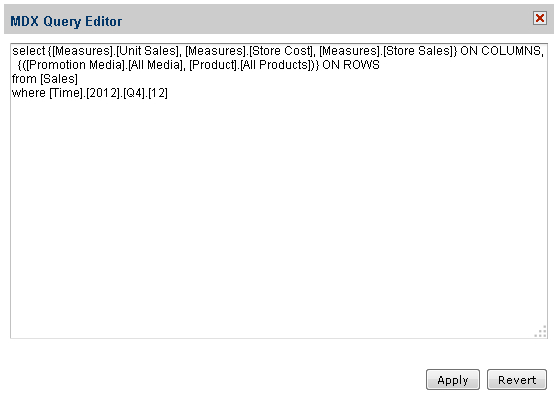
Figure 1 MDX Query Editor
An MDX query consists of data sets, query scope, and filter specifications:
-
A SELECT statement determines the data sets that populate the columns (x-axis) and rows (y-axis) of the navigation table. The SELECT statement includes the measures to use as columns and rows. The query in this example specifies data sets in terms of:
-
[Measures].[Unit Sales], [Measures].[Store Cost], [Measures].[Store Sales] as columns; [Promotion Media].[All Media] and [Product].[All Products] as rows.
-
The FROM clause specifies the cube that is queried. You can query only one cube at a time.
-
The WHERE clause uses dimensions to constrain the data sets retrieved by the query, that is, the clause specifies the filters that screen the data the query returns. In this example, [TIME].[2012] is the filter.
-
Click Apply to update the navigation table in the OLAP view. The system validates the query and updates the navigation table.
- Click Revert to discard all changes.
For details about the MDX query language, see Microsoft's Multidimensional Expressions Reference.