Defining the Data Source
Data sources are not defined directly in the report JRXML file. It must be specified when you upload a file to JasperReports Server. On the data source page of the Add JasperReport wizard, you can select a data source in the repository or create a new data source.
If you want to create a data source, the application server must be able to find the driver for the database you want to use. For example, in a default installation of JasperReports Server, Tomcat looks for data source drivers in <js‑install>/apache-tomcat/lib. Put a copy of the driver in this location.
To define a data source for the simple report example
-
In the JasperReports wizard, click Data Source. The Link a Data Source to the Report page presents these choices:
- Do not link a data source - Select or define the data source later. You see an error if you run the report in this state.
- Click here to create a new data source - Define a new data source available only to your report.
- Select data source from repository - Select an existing data source from the repository.
-
Choose Select data source from the Repository and Browse to Public > Samples > Data sources > JServer JNDI Data Source.
-
Click Select. The Link a Data Source to the Report page reappears with the path to the data source.
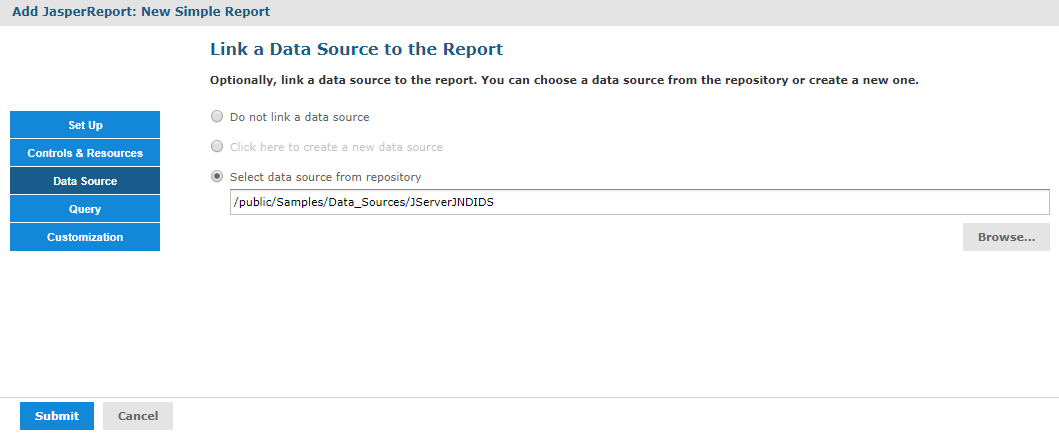
Figure 1 Data Source Page
-
Click Submit to add the new report unit to the repository.