Setting Schedule
On the Schedule tab, you can change these settings:
-
Interval - The required recurrence interval value. The recurrence interval must be an integer greater than 0. By default, the interval value is set to 1.
-
Timeframe - Schedule the alert to recur at a regular interval, specified in hours, days, or weeks. By default, the timeframe value is set to Days.
-
Start time - Set a start time, choosing whether to start now or on a specific date and time. On selecting a specific date and time, the calendar option is enabled. Click the calendar icon
 to select a start date and time.
Note
- By default, the Specific date and time remains disabled. You can choose this option to select a start date and time.
- The start date and time must be in the future.
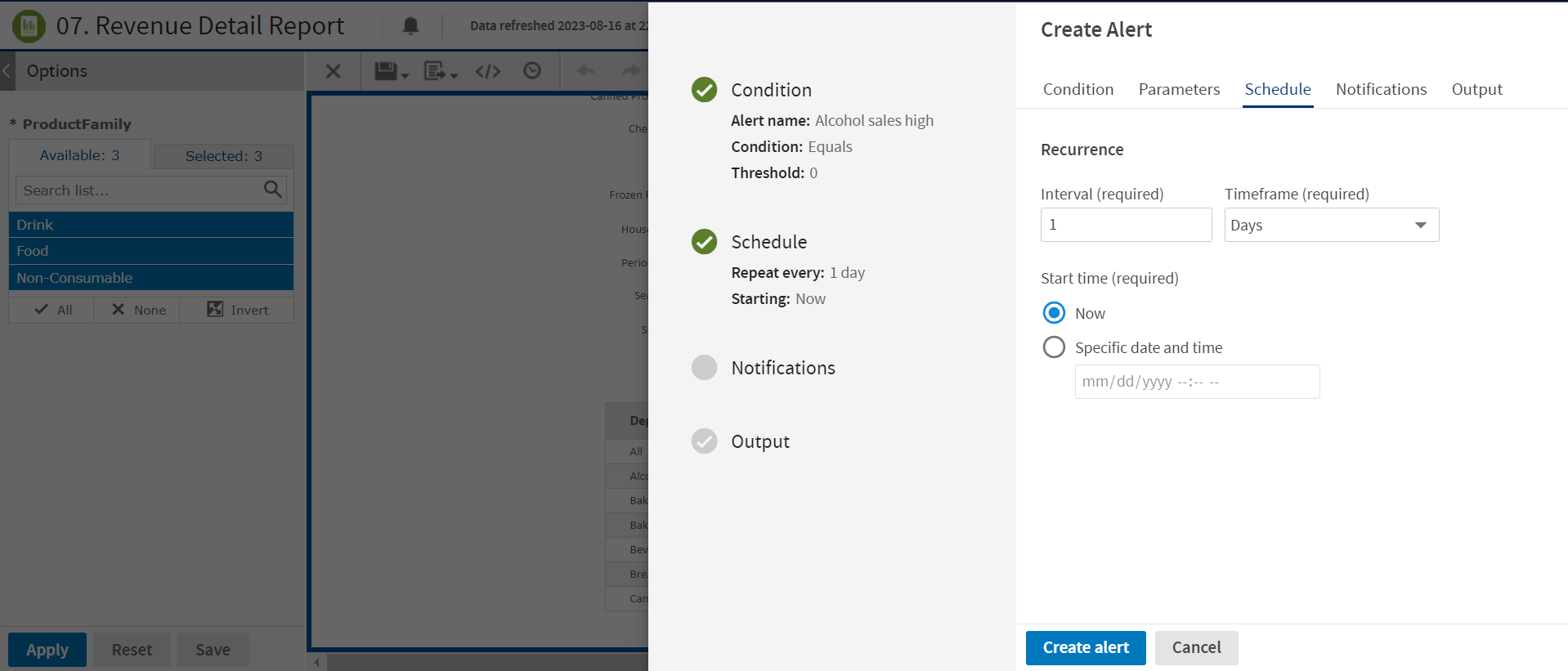
Figure 1 Schedule Tab
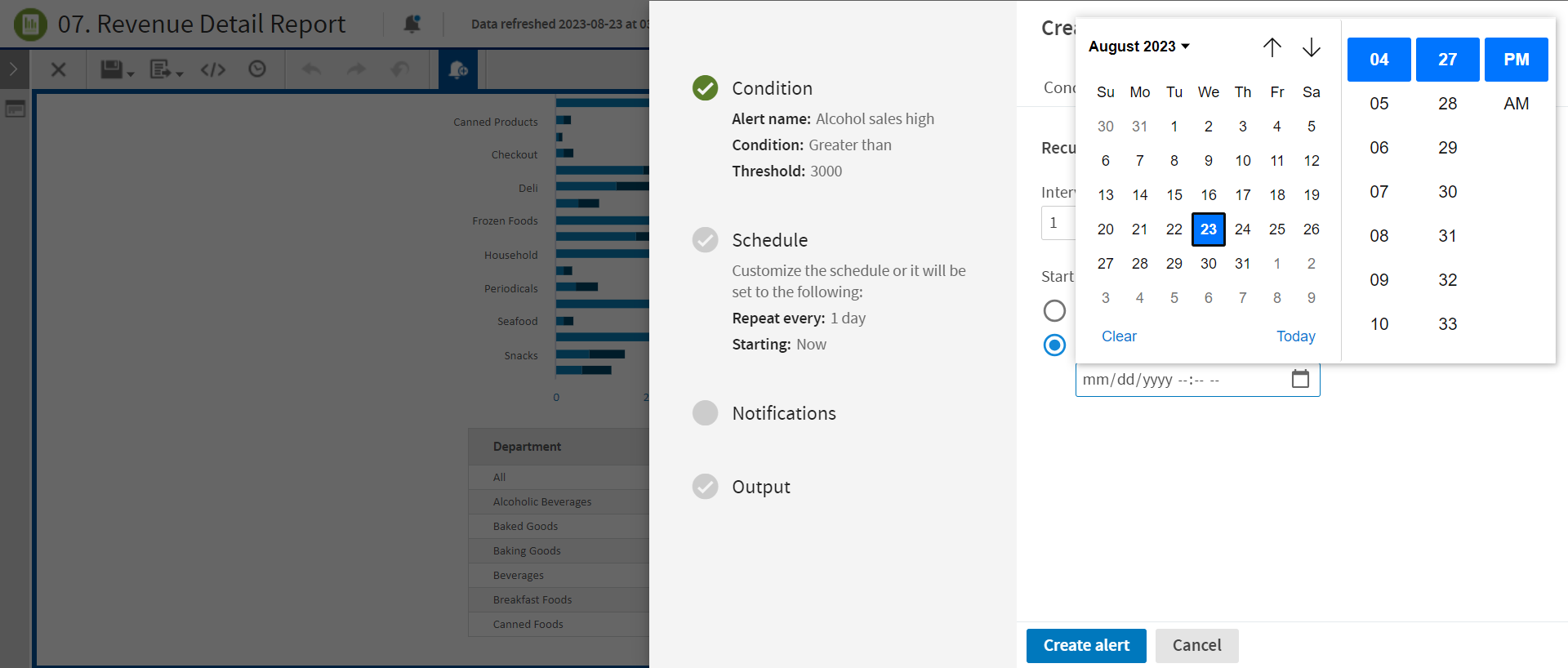
Figure 2 Schedule Tab with Specific Date and Time enabled